Do Instagram and WhatsApp Remove Photo Metadata?
Know what other people can read from a photo after you post or send it.
By the ExifMeta teamLast updated: October 7, 2026
Short answer
Usually, yes, for the copy other people see. At the time of writing, Instagram, Facebook, and WhatsApp (when you send a normal photo) re-encode images and drop most metadata, including GPS coordinates. Sending the photo as a WhatsApp document, an email attachment, or over AirDrop usually keeps the original metadata. Platforms change, so the only reliable test is to check the copy that was actually shared.
App by app
What reaches the other person depends less on the app than on how the file is sent. When an app compresses a photo, it writes a new file, and most metadata is lost along the way. When it passes the file through untouched, the metadata goes with it.
| How you share | What the recipient usually gets | Note |
|---|---|---|
| Instagram post or story | A re-encoded copy, normally without camera EXIF or GPS tags. | A location sticker or tag you add is shown separately from the file. |
| Facebook photo | A re-encoded copy, normally without camera EXIF or GPS tags. | Same as Instagram: any place you tag yourself is visible. |
| WhatsApp, sent as a photo | A compressed copy, normally without GPS and most camera tags. | The HD option sends a larger copy that is still re-encoded. |
| WhatsApp, sent as a document | The original file, with its metadata intact. | Location included, if the photo had it. |
| Email attachment, AirDrop, cloud link | Usually the original file, with its metadata intact. | Some share sheets let you turn location off before sending. |
Treat this table as a starting point, not a guarantee. Apps update their upload pipelines without announcing it, and behaviour can differ between the phone app, the desktop app, and the website.
Stripped for viewers is not the same as never collected
When a platform removes metadata, it removes it from the copy it shows to other people. The platform still receives your original upload first. Meta’s privacy policy describes collecting information about the content you share, which can include details such as where and when a photo was taken.
So “Instagram strips EXIF” protects you from other users downloading your photo and reading its GPS tags. It does not mean the company never saw them. If you don’t want any service to receive your location, remove it from the file before uploading, or turn off location for the camera.
Ways of sharing that keep metadata
These methods usually deliver the original file, so camera settings, timestamps, and GPS coordinates arrive with it:
- WhatsApp documents. Attaching a photo as a document sends the file as it is, without compression. People often use this to share full-quality photos, without realising the location goes along with it.
- Email attachments. Most mail apps send the file unchanged. Some phone mail apps offer to send a smaller size, which may re-encode it.
- AirDrop and cloud links. AirDrop, Google Drive, Dropbox, and similar services normally share the original file. On iPhone, the Options button at the top of the share sheet lets you switch off location before sending.
- “Original quality” settings. Any option labelled original, full resolution, or uncompressed is a hint that metadata may be kept.
What about screenshots?
A screenshot is a new image. It does not carry the camera settings or GPS tags of the photo on screen, so screenshotting a photo is a quick way to share what it shows without its location tags.
A screenshot still has metadata of its own: usually the date and time it was taken, the screen size, and sometimes the device or software that made it. The picture itself can also give away a place, through street signs, landmarks, or a map in the background.
Check the copy that was shared
The way to know for sure is to inspect the file someone else would actually receive:
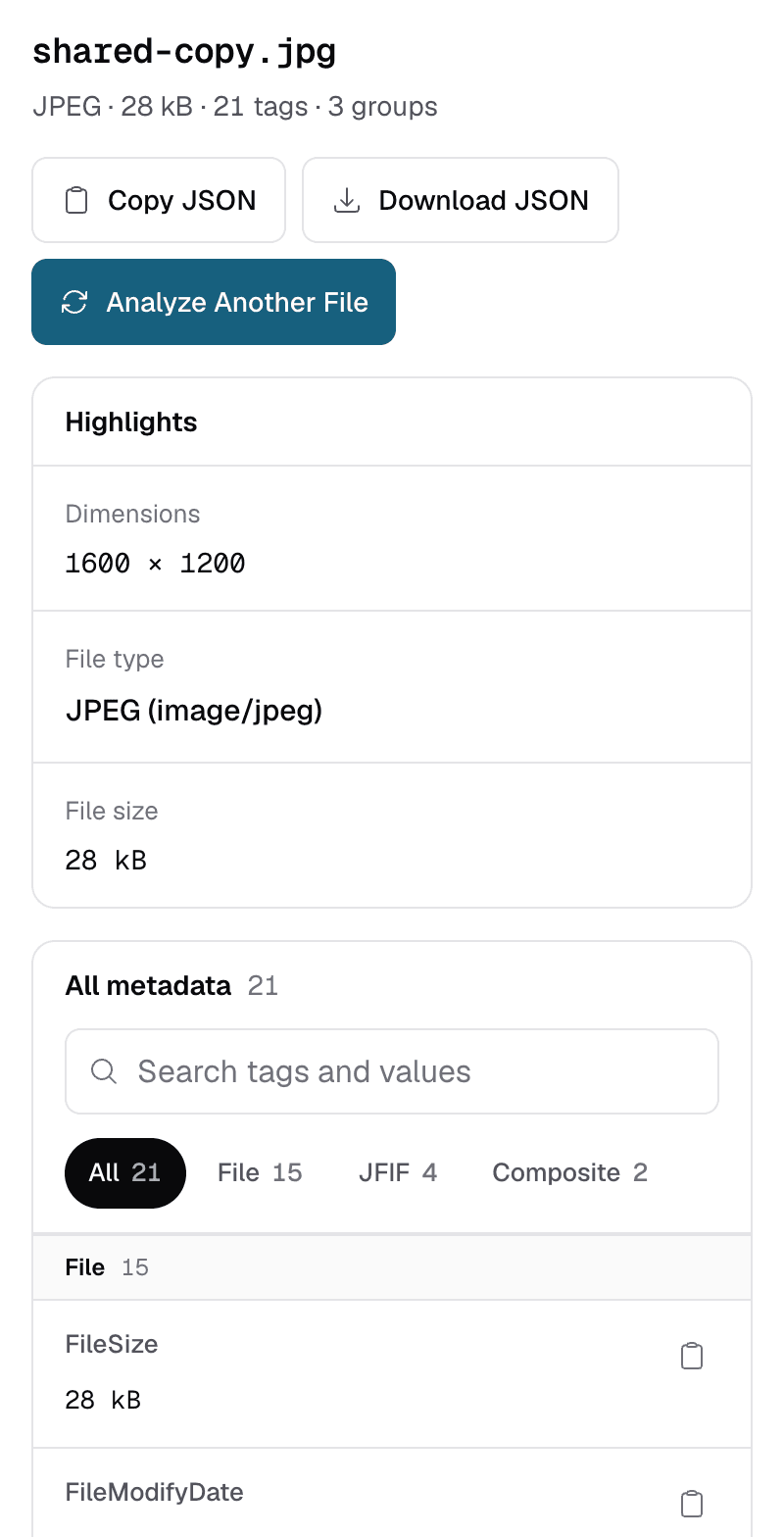
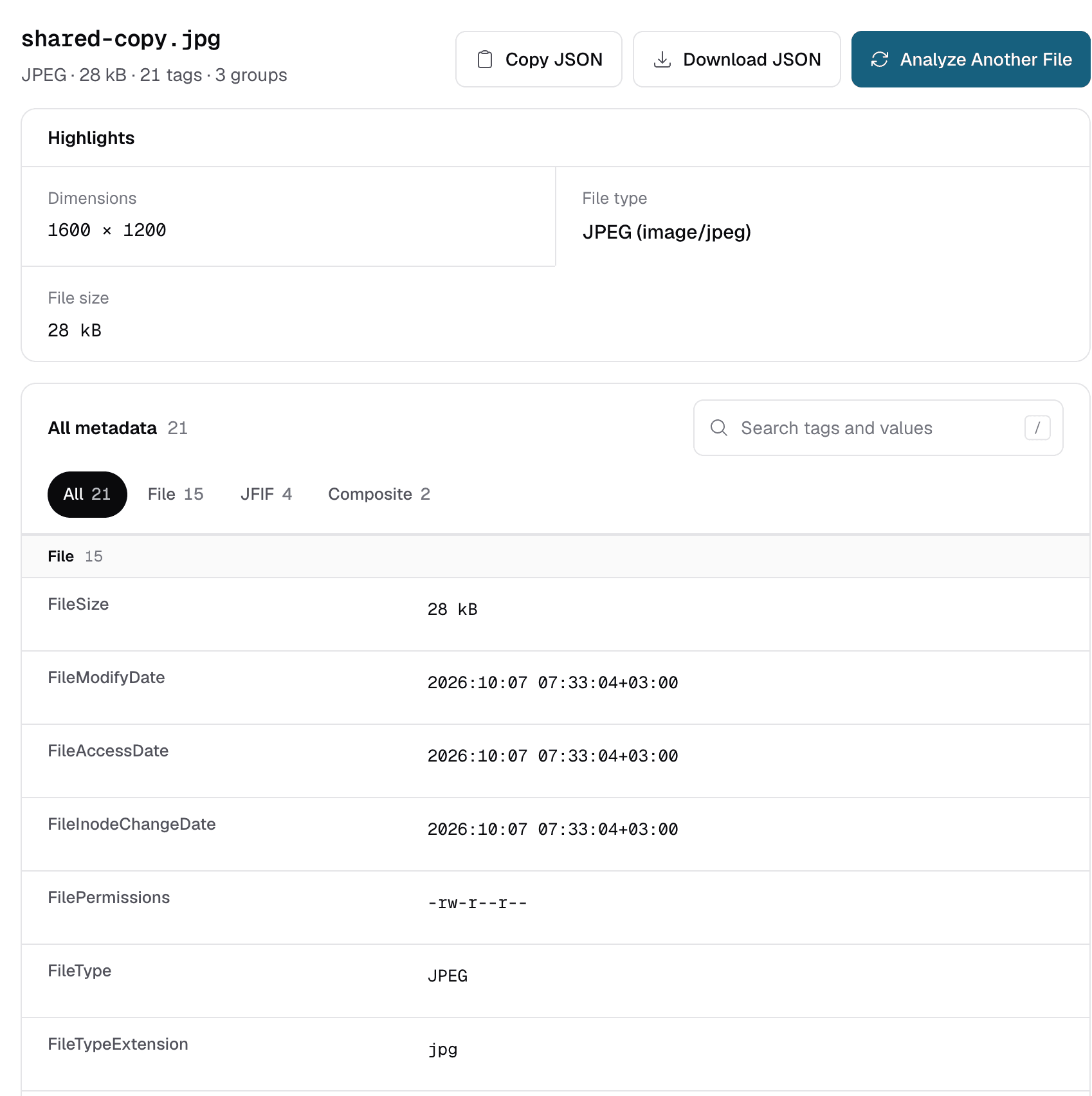
- Get the shared copy: download your post, or ask a friend to send back the photo you sent them. On WhatsApp you can also save a photo from your own chat.
- Open the metadata viewer and upload that copy (one file at a time, up to 50 MB).
- Look for the GPS location banner, and for tags such as
GPSLatitude,Make,Model, andDateTimeOriginal. If they are gone, the app stripped them. - Compare with the original photo from your device to see exactly what was removed.
ExifMeta only reads metadata; it does not change or remove it. To strip location yourself before sharing, see how to keep location out of photos you share.
Check a Shared Photo
Upload a photo you received or downloaded to see which metadata survived. Free, no account needed.