EXIF vs IPTC vs XMP: What’s the Difference?
Which metadata block answers which question, and what to do when they disagree.
By the ExifMeta teamLast updated: October 7, 2026
Short answer
EXIF is written by the camera and records how the photo was taken. IPTC is written by people and describes the photo: caption, creator, copyright, keywords. XMP is a newer, flexible format that can hold both kinds of information and is what most editing software writes today. For camera facts, read EXIF. For credits and descriptions, read IPTC and XMP, and check that they agree.
For the background on each standard, see Metadata Standards Explained. This guide is about using them to answer real questions about a file.
Where to look for each answer
Start with the group in the middle column. Where two groups are listed, a file may carry the information in either one, or in both.
| Question | Group | Tags to check |
|---|---|---|
| Which camera and lens took it? | EXIF | Make, Model, LensModel |
| What were the exposure settings? | EXIF | ExposureTime, FNumber, ISO, FocalLength |
| When was it taken? | EXIF, then XMP | DateTimeOriginal, XMP DateCreated |
| Where was it taken? | EXIF GPS, then XMP | GPSLatitude, GPSLongitude, XMP GPS tags |
| Who made it and who owns it? | IPTC and XMP | By-line / Creator, CopyrightNotice / Rights |
| What is it about? | IPTC and XMP | Caption-Abstract / Description, Keywords / Subject |
| Was it edited, and in what? | XMP | CreatorTool, History, Rating, Label |
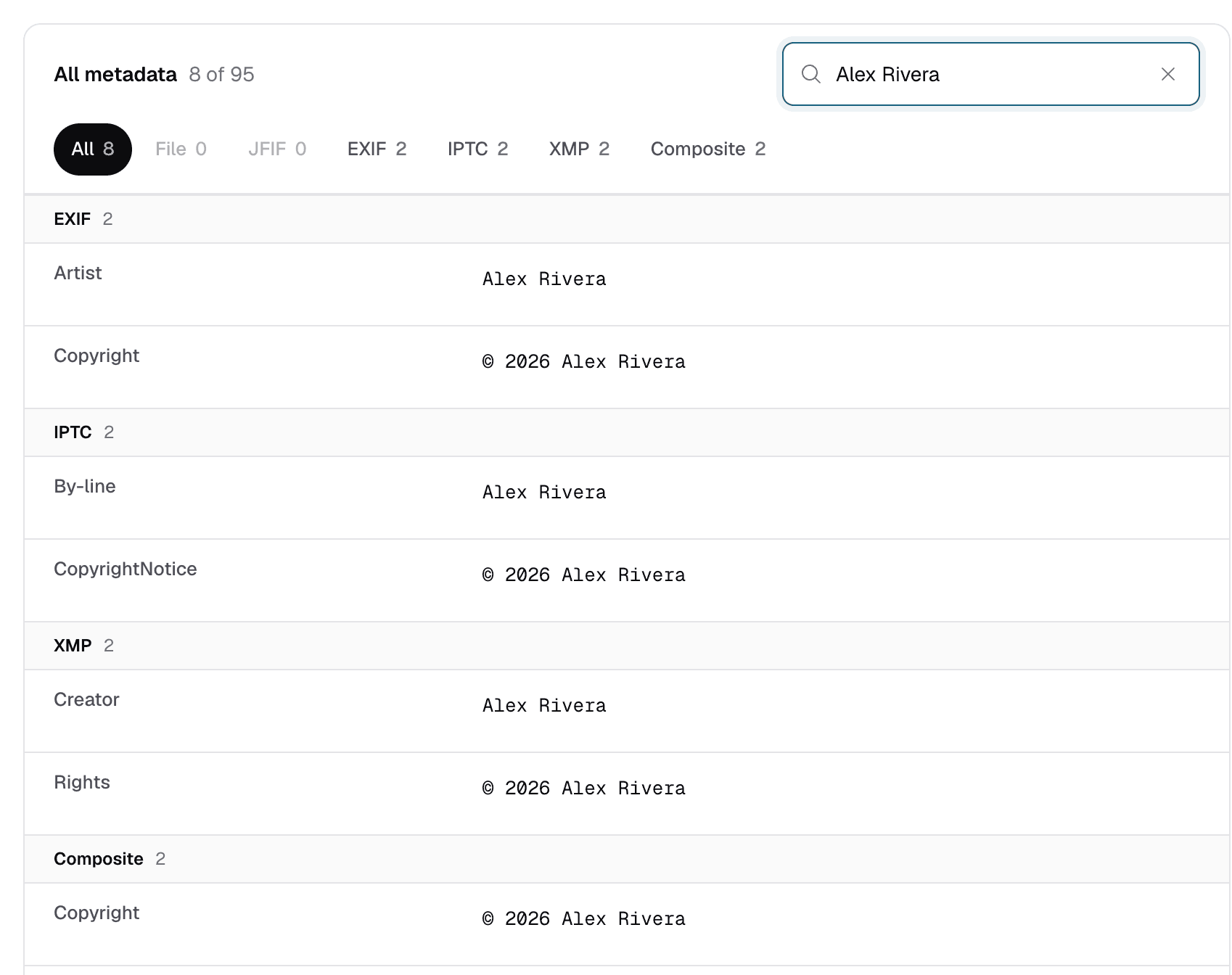
Tag names differ between blocks for the same idea. The photographer's name is By-line in IPTC, Creator in XMP, and Artist in EXIF.
Find each block in ExifMeta
- Upload the file to the metadata viewer, or paste a direct link to it.
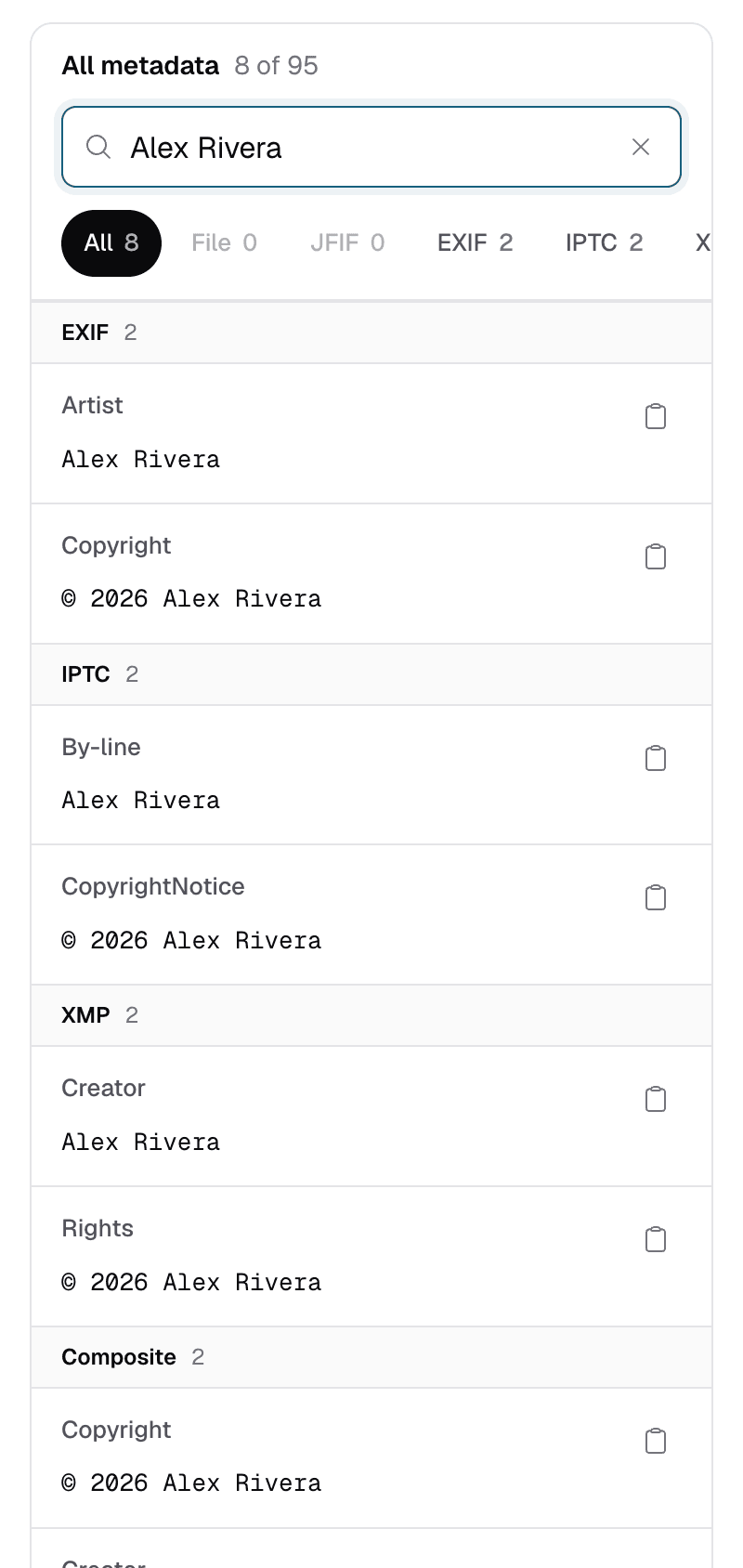
- Pick a group. Under All metadata, tags are grouped the way ExifTool groups them: EXIF, IPTC, XMP, plus others such as File, Composite, and MakerNotes. Select a group to see only its tags.
- Search across groups. Type a value, such as a name or a year, into “Search tags and values” to see every block that contains it.
A group that is missing from the list is not in the file. That is normal: a photo straight from a phone often has EXIF only, with no IPTC block at all.
When the values disagree
The same information can be stored more than once. A caption can live in IPTC and in XMP; a capture date can live in EXIF and in XMP. If one program updates one copy and leaves the other alone, the file ends up saying two different things.
- Different programs pick different copies. One app may show the XMP caption while another shows the IPTC one, so the same photo can look different depending on where you open it.
- The newer edit is usually in XMP. Modern editors write XMP first, so an outdated value is more often the one left behind in IPTC.
- Camera facts rarely conflict. Editors seldom change exposure or lens tags. If they differ between EXIF and XMP, the file has likely been through other software that rewrote one copy.
A quick way to check: search for the caption or the creator's name and see how many groups return it. If IPTC and XMP both match, the file is consistent. If only one does, or each shows a different value, the copies have drifted apart, and you should confirm with the source before relying on either one.
ExifMeta shows every copy rather than choosing one, so you can see a conflict instead of having it hidden. It only reads metadata; to fix a mismatch, edit the file in your photo software or with ExifTool. For dates in particular, see how to find when a photo was really taken.
Who writes which block
- Cameras and phones write EXIF, and some add XMP. Many phones also record extra details in maker notes.
- Photo editors and catalog apps, such as Adobe Lightroom and Photoshop, store your edits to captions, keywords, and ratings mainly in XMP. Some also update the older IPTC block for compatibility.
- News and stock agencies rely on IPTC fields for credits, captions, and usage rights. Today those fields are often stored inside XMP as “IPTC Core”, which is why IPTC-style information can appear in the XMP group.
Sidecar .xmp files
Some programs avoid changing RAW files and save edits in a separate file with the same name, such as IMG_0412.CR3 and IMG_0412.xmp. That sidecar holds the caption, keywords, rating, and edit settings; the RAW file itself still has only what the camera wrote.
So if a RAW file seems to be missing a caption you added, check the sidecar. You can upload the .xmp file to ExifMeta on its own to read it. When you share or archive RAW files, keep each sidecar with its photo, or that information is lost.
See Which Blocks Your File Has
Upload a photo to see its EXIF, IPTC, and XMP metadata side by side. Free, no account needed.